
Anker eufy
AnkerLifestyle
4.515.81K Reviews
- Version
- 6.1.32_32827
- Installs
- 5.00M
- Age Rating
- Everyone
Screenshots

Our Review of Anker eufy
 Analysis by Appyee
When I look at a home-security app, I care less about a long feature list than about whether I can check what matters without opening several different tools. That is the appeal of eufy Security: it is Anker’s free lifestyle app for bringing compatible security devices into one place. I find that idea most useful for people who already own, or are considering, more than one eufy device and want a single routine for checking their home.
Where the app stands today
The current Android release is version 5.8.10_19955 and requires Android 8.0 or later. The app has been available since October 19, 2018, and its 4.6 average from around 205,000 ratings, alongside more than 5 million installs, suggests that it has found a broad audience. It is rated for Everyone. Those figures are useful context, but they do not guarantee that every device or household will have the same experience.
I would describe the app as a control point rather than a security product by itself. Its practical value depends on the compatible cameras and other devices connected to it, and on how well their capabilities fit your home. If you are comparing options, check the compatibility of the exact equipment you plan to use before building your setup around the app.
Getting Started with eufy Security
First things first, downloading the eufy Security app is a breeze. Available on both Android and iOS, it’s just a quick download away. Once installed, the app guides you through a straightforward setup process. No need to be a tech wizard here! Pairing your devices with the app is as easy as pie, thanks to the intuitive interface.
A Cozy Interface
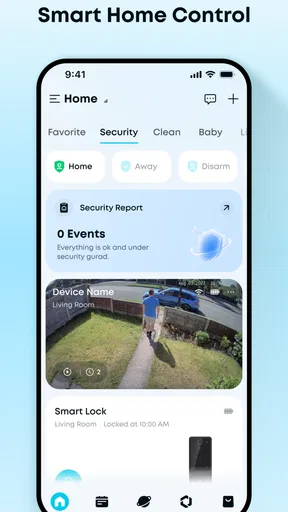
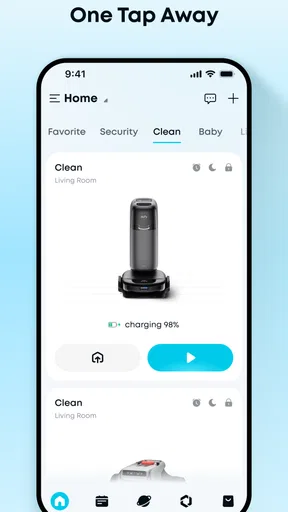
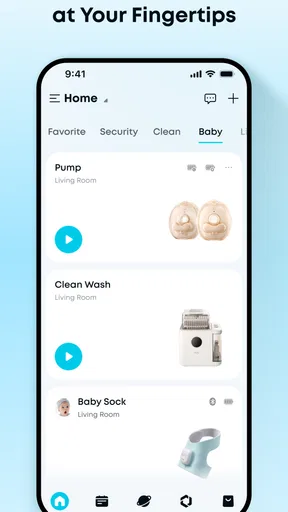
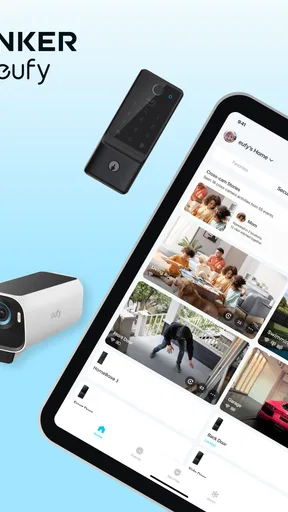
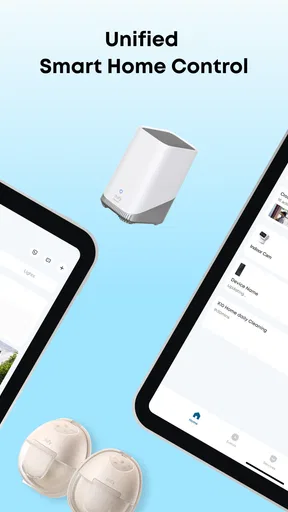
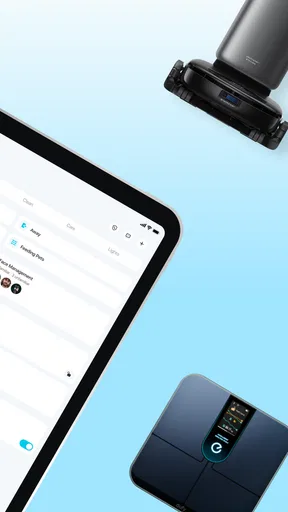
One of the things I appreciated most about the app is its user-friendly design. It’s like the developers really thought about us regular folks while crafting this tool. The dashboard is clean and well-organized, so you’re not sifting through a bunch of unnecessary options. Everything you need is right at your fingertips.
That simplicity matters most after the initial setup, when you are opening the app for a quick check rather than exploring every menu. I would take a little time to name devices in a way that makes sense to everyone in the household. “Front entrance” or “garage” is easier to interpret at a glance than a generic device label, especially when an alert arrives while you are busy.
Features That Stand Out
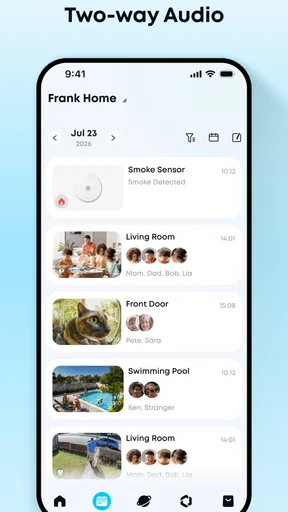
The app packs in a ton of features that make home monitoring a cinch. You can control your cameras, check live feeds, and even chat through the two-way audio feature. The motion detection alerts are spot on, letting you know if something’s up around your vicinity.
I particularly enjoyed the customizable notifications. You can tweak them based on your preferences, so you’re not bombarded with alerts for every little movement. And let’s talk about the video quality—crystal clear and reliable, even at night.
My practical tip is to treat notification settings as part of setup, not as an afterthought. A camera aimed at a busy walkway can generate interruptions that are technically relevant but not useful to you. I would begin with alerts for the areas and times that genuinely need attention, then adjust after seeing what comes through in ordinary use. The trade-off is simple: too few notifications can make the system less informative, while too many can train you to ignore them.
For a typical weekday, imagine a delivery arriving while you are on a call. A motion alert can prompt a quick live view, and two-way audio may let you respond without going to the door. That is a more useful everyday benefit than checking cameras repeatedly on a fixed schedule. It also shows why a clear camera view and sensible alert choices matter as much as having many controls in one app.
Smart Integrations
If you’re into smart home setups, eufy Security has got you covered. It integrates smoothly with devices like Amazon Alexa and Google Assistant. So, if you’re busy cooking or have your hands full, you can just ask Alexa to show you the front door camera. It’s like living in the future!
There’s also support for Apple HomeKit, which is a nice touch for Apple enthusiasts. The app seamlessly fits into your existing smart home ecosystem, making it feel like it’s always been there.
Voice assistants can be convenient for a quick camera view, but I would not make them the only way I expect to check on the home. A phone app remains the more direct option when I want to inspect an alert or decide what to do next. If you already use Alexa, Google Assistant, or HomeKit, integration can reduce friction; if you do not, there is no need to build a smart-home routine just to get value from the app.
Security and Privacy
In a world where privacy is front and center, eufy Security doesn’t skimp on keeping your data safe. The app uses military-grade encryption to ensure your footage is secure. Plus, with local storage options, your videos stay in your hands, not floating around in the cloud.
It’s refreshing to see a company that values privacy just as much as security. You can rest easy knowing your personal space isn’t being compromised.
Storage choices are worth thinking through before you place cameras in sensitive areas. Local storage may appeal if you prefer footage to stay under your control, while a cloud-based approach can suit people who value remote access and want to avoid relying only on equipment at home. Neither preference removes the need to protect the account and review who can access it. I would also be deliberate about camera placement: a useful view of an entrance is different from recording spaces where household members expect privacy.
Real-Life Use
In my experience, the app performed beautifully during various scenarios. Whether it was checking on a delivery, making sure the kids got home safe, or simply keeping an eye on the backyard at night, it was reliable and responsive. The battery life on the cameras was impressive too, lasting weeks on a single charge.
And if you’re worried about technical support, eufy has a robust help section and responsive customer service. They’re quick to assist should you run into any hiccups.
For families, the app can be helpful when different people need to check the same entrance or shared space, but I would agree on simple habits first: who responds to an alert, which camera is relevant, and when a live view is actually needed. For someone who lives alone, the stronger use case may be checking a delivery or an outdoor area while away. In both situations, it works best as a source of useful context, not as a substitute for common-sense precautions or a response plan.
How it compares with other approaches
Compared with opening separate manufacturer apps for each camera or sensor, a single eufy control point is the obvious convenience. It is especially appealing if your home already leans toward eufy equipment. By contrast, a household with devices from several brands may prefer a broader smart-home platform for everyday control, while still using each maker’s app for device-specific settings. The right choice depends on whether you value a unified view of one brand’s gear or a wider mix of products.
I would not choose this app simply because a security system is on the shopping list. If you have no compatible eufy devices and do not plan to buy any, installing the app alone will not provide meaningful home monitoring. Likewise, if you want a single dashboard that manages a mixed-brand installation, compare that need against the ecosystem you already use before committing to new equipment.
Costs, fit, and expectations
The app itself is free to download, but optional in-app purchases range from $0.99 to $399.99 per item. That is a broad span, so I would check what a particular purchase covers and whether it is relevant to the devices and storage approach I intend to use rather than assuming every user needs an add-on. The best way to keep the setup sensible is to start with the functions you actually need, then decide whether an extra service or purchase solves a real problem.
Existing users should also treat an app update as a reason to review settings, not as proof that every aspect of their setup has changed. The release history establishes that the app has continued to evolve, and the current version gives Android users a clear reference point when checking compatibility. What matters day to day is whether your devices remain connected, alerts still match your routine, and the interface still makes important controls easy to find. I would check those basics after updating rather than assume familiar preferences are unchanged.
One limitation of any camera-led setup is that an alert is only as useful as the view and response it enables. A camera can tell you that something happened in its field of view, but you still need to interpret the event and decide what to do. I would test the real view from each chosen position during both daytime and night conditions, and adjust placement if ordinary activity creates too many irrelevant alerts. That small setup effort can make the app feel calmer and more dependable.
What I would check before relying on it
Before choosing eufy Security, I would answer a few practical questions for myself. Are the devices I want to use compatible? Do I prefer local storage, a cloud option, or a mix that suits my needs? Will the people who share the home understand the alerts and know how to view the right camera? And does the available Android version meet the requirements of my phone? Thinking through these points is more useful than judging the app from its dashboard alone.
For an existing owner, a good first session is to confirm device names, test a live view, check notification preferences, and make sure the chosen storage arrangement matches expectations. For a prospective buyer, I would compare the cost and flexibility of a single-brand setup with the convenience of whatever smart-home system is already in the house. Those checks help answer the central question: will one place for eufy devices make daily monitoring simpler, or would another platform fit the household better?
Final Thoughts
All in all, eufy Security is a stellar app for anyone looking to bolster their home security with minimal hassle. It’s packed with features, easy to use, and respects your privacy. Whether you’re tech-savvy or not, this app makes home security accessible to everyone.
If you’re in the market for a reliable and user-friendly security solution, I’d highly recommend giving eufy Security a try. It’s like having peace of mind, all wrapped up in a neat little app.
Privacy and Permissions
See what permissions an app requests and how it handles your data.
- Location
- approximate location (network-based), precise location (GPS and network-based)
- Phone
- read phone status and identity
- Photos/Media/Files
- read the contents of your USB storage, modify or delete the contents of your USB storage
- Storage
- read the contents of your USB storage, modify or delete the contents of your USB storage
- Camera
- take pictures and videos
- Microphone
- record audio
- Wi-Fi connection information
- view Wi-Fi connections
- Device ID & call information
- read phone status and identity
- Other
- view network connections, pair with Bluetooth devices, access Bluetooth settings, change network connectivity, allow Wi-Fi Multicast reception, connect and disconnect from Wi-Fi, control flashlight, full network access, close other apps, change your audio settings, control Near Field Communication, run at startup, reorder running apps, draw over other apps, control vibration, prevent device from sleeping, modify system settings, set an alarm
Verdict
Strengths of Anker eufy
- User-friendly interface, easy navigation.
- High-quality video streaming and recording.
- Customizable alert notifications.
- Seamless integration with smart home devices.
- Strong data encryption for privacy.
Limitations of Anker eufy
- Requires stable internet for optimal performance.
- Limited free cloud storage options.
- Occasional app crashes reported.
- Some features behind a paywall.
- Initial setup can be time-consuming.
Other Releases by Anker
View All
Soundcore
Tools3.9
Similar Picks in This Category
View All
SmartThings
Samsung Electronics Co., Ltd.4.6

Google Home
Google LLC4.0

Pinterest4.2

Astrotalk - Talk to Astrologer
Astrology & Horoscope4.7

My Verizon
Verizon Consumer Group4.5

Samsung Wallet (Samsung Pay)
Samsung Electronics Co., Ltd.4.1
Frequently Asked Questions
What features does the eufy Security app offer?
The eufy Security app provides comprehensive security features, including live video streaming, motion detection alerts, and two-way audio. Users can easily customize alerts, schedule recordings, and access historical footage. The app also integrates with various smart home devices, enhancing your home security ecosystem.
Is the eufy Security app compatible with all eufy devices?
The eufy Security app supports a wide range of eufy security devices, including cameras, doorbells, and sensors. However, it's essential to check the specific compatibility list on the app’s product page to ensure that your device is supported, as some older models may have limited functionality.
Does the eufy Security app require a subscription for full functionality?
While the eufy Security app offers many features for free, such as live streaming and basic notifications, advanced options like cloud storage and enhanced video recording may require a subscription. Users should evaluate their security needs to determine if a subscription offers additional value.
How user-friendly is the eufy Security app interface?
The eufy Security app is designed with user experience in mind, featuring a clean and intuitive interface. New users can easily navigate through the app, set up devices, and manage settings without prior technical knowledge. The app’s layout allows for quick access to essential features and settings.
Is my data secure when using the eufy Security app?
eufy prioritizes user privacy and data security. The app employs end-to-end encryption to protect video feeds and personal information. Additionally, users have control over their data, with options to store videos locally on SD cards or securely in the cloud, ensuring peace of mind.
